

Write and format your project
Use the focused editor and lightweight formatting controls.
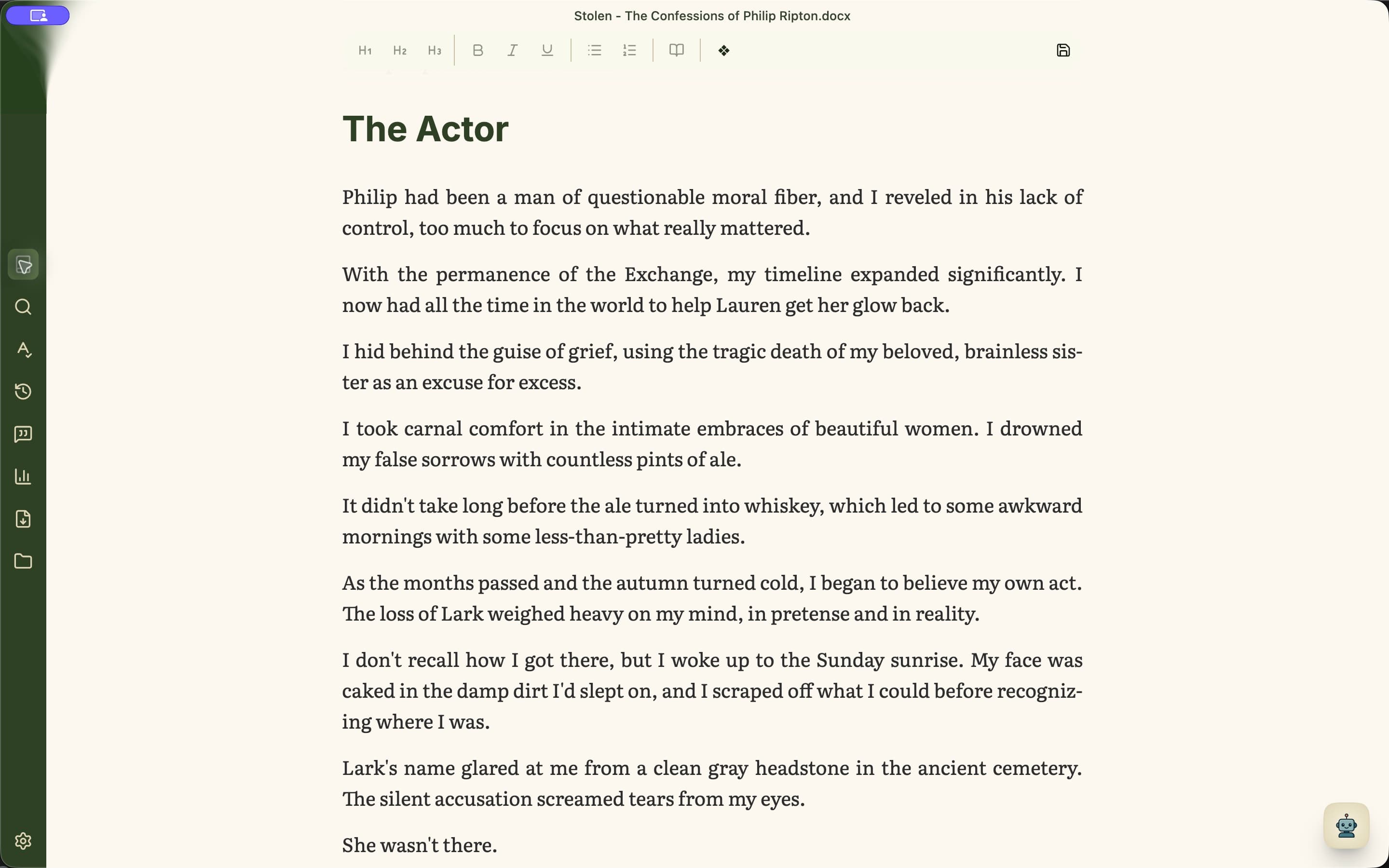
Format with intent
The main toolbar includes Heading 1, 2, and 3, bold, italic, underline, bulleted lists, numbered lists, and scene changes. Selecting a passage opens a compact icon toolbar after the selection is complete; pause over an icon to see its action. Thesaurus results are available by right-clicking a word.
- 1Select text before applying bold, italic, underline, or a selected-passage action.
- 2Read the proposed change, then choose Apply or keep the original passage. Changes proposed in Minstrel chat also wait for your review.
- 3Use a consistent heading level for chapters of the same kind.
- 4Use lists in planning material or notes when order and grouping matter.
- 5Right-click a word when you want to inspect local thesaurus alternatives.
- 6Insert a scene change when time, place, viewpoint, or action shifts within a chapter.
Use headings as structure
Headings do more than change appearance. They give Write a useful outline and make the shape of a long project easier to navigate.