

Use the review desk
Read focused assessments of structure, character, continuity, setting, research, and reader experience.
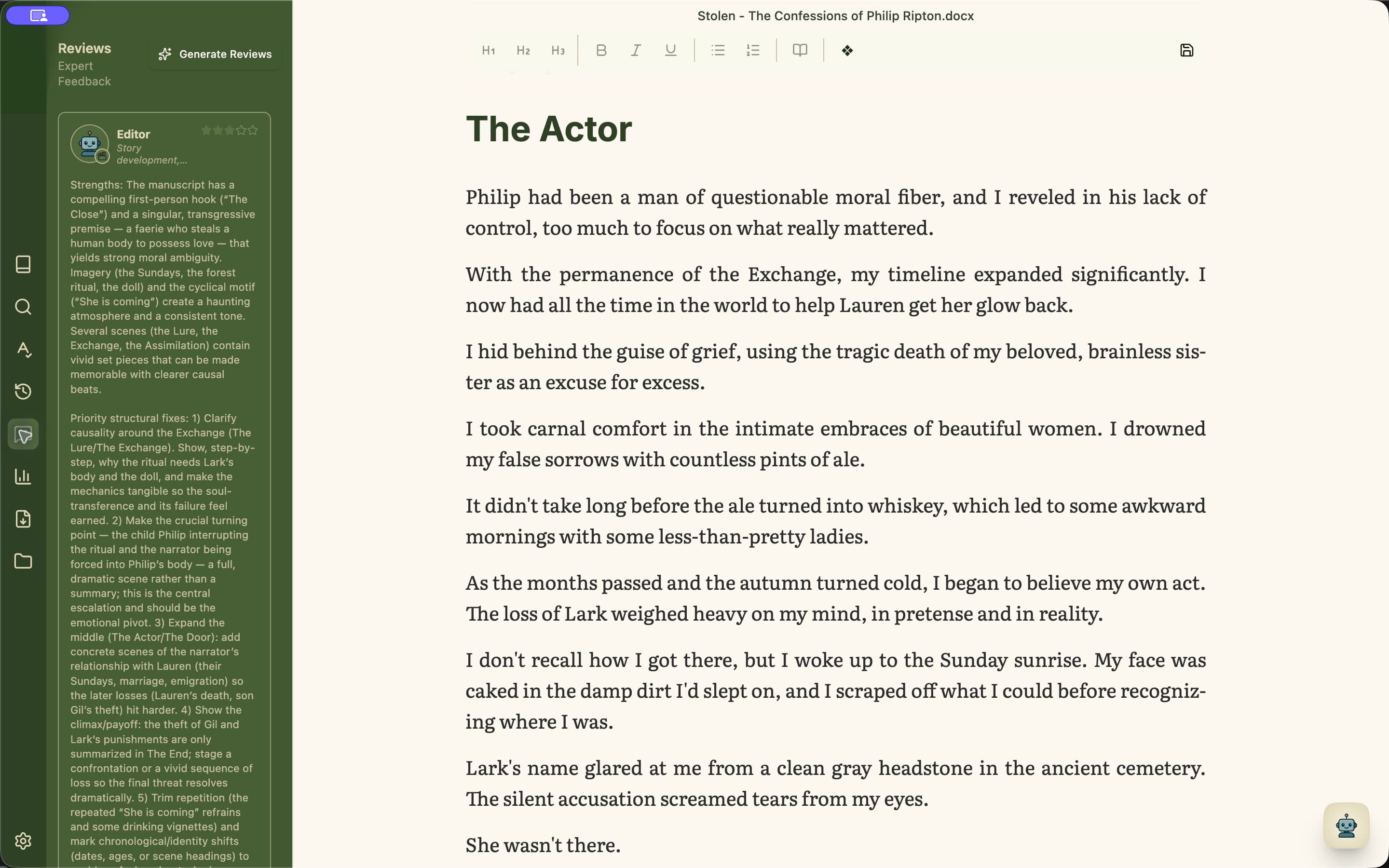
Choose the lens behind the review
With Standard, Plus, or Pro, Review includes six lenses: Editor, Characters, Continuity, Readability, Setting, and Research. Each concentrates on a different class of question.
Minstrel prepares assessments automatically as you write and revise. Open Review when you want to read the feedback.
- 1Open Review from the left rail.
- 2Check the Review header for assessment progress and status.
- 3Read each takeaway, the strengths worth preserving, and its ordered priorities.
- 4Select a cited passage to find that evidence in the manuscript.
- 5After revising, return to Review to read the updated assessments.
Let assessments update as you work
Assessments run automatically, so you can keep writing while feedback is prepared. Use the status in Review to see its progress, then consider the results at a natural pause in your revision.