

Edit book details and cover
Manage the title, author, summary, cover, and optional book pages.
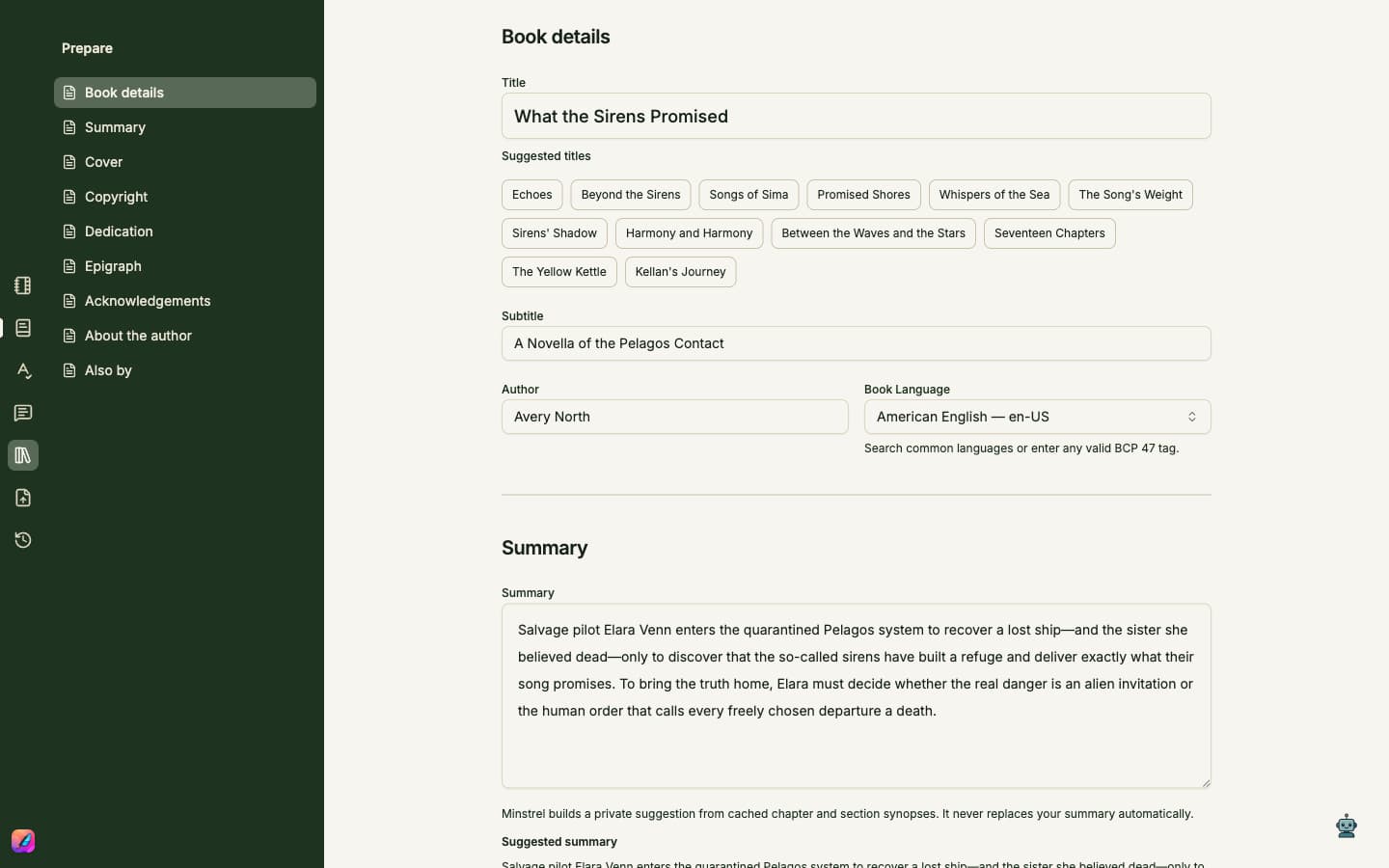
Keep the project identity current
- 1Open Prepare from the left rail. Use its section list to move through the continuous book-details page.
- 2Edit the title, optional subtitle, author, and publication language on the title page.
- 3Choose a gallery cover, upload your own, or use a generated cover. A generated cover follows changes to the project title.
- 4Update the project summary as the story becomes clearer. With Standard, Plus, or Pro, a suggested summary can appear for your review; it does not replace your text until you choose to use it.
- 5Add any copyright, dedication, epigraph, acknowledgements, author biography, or Also by pages the finished book needs.
- 6Changes in Prepare are applied to the project as you edit, without a separate Book details Save button. Save the project to record a version in Rewind.
Recognize the source file
The saved .mns filename appears above the editor. The project stays in the folder you chose on its first save; use Finder when you need to copy it or include it in a backup.