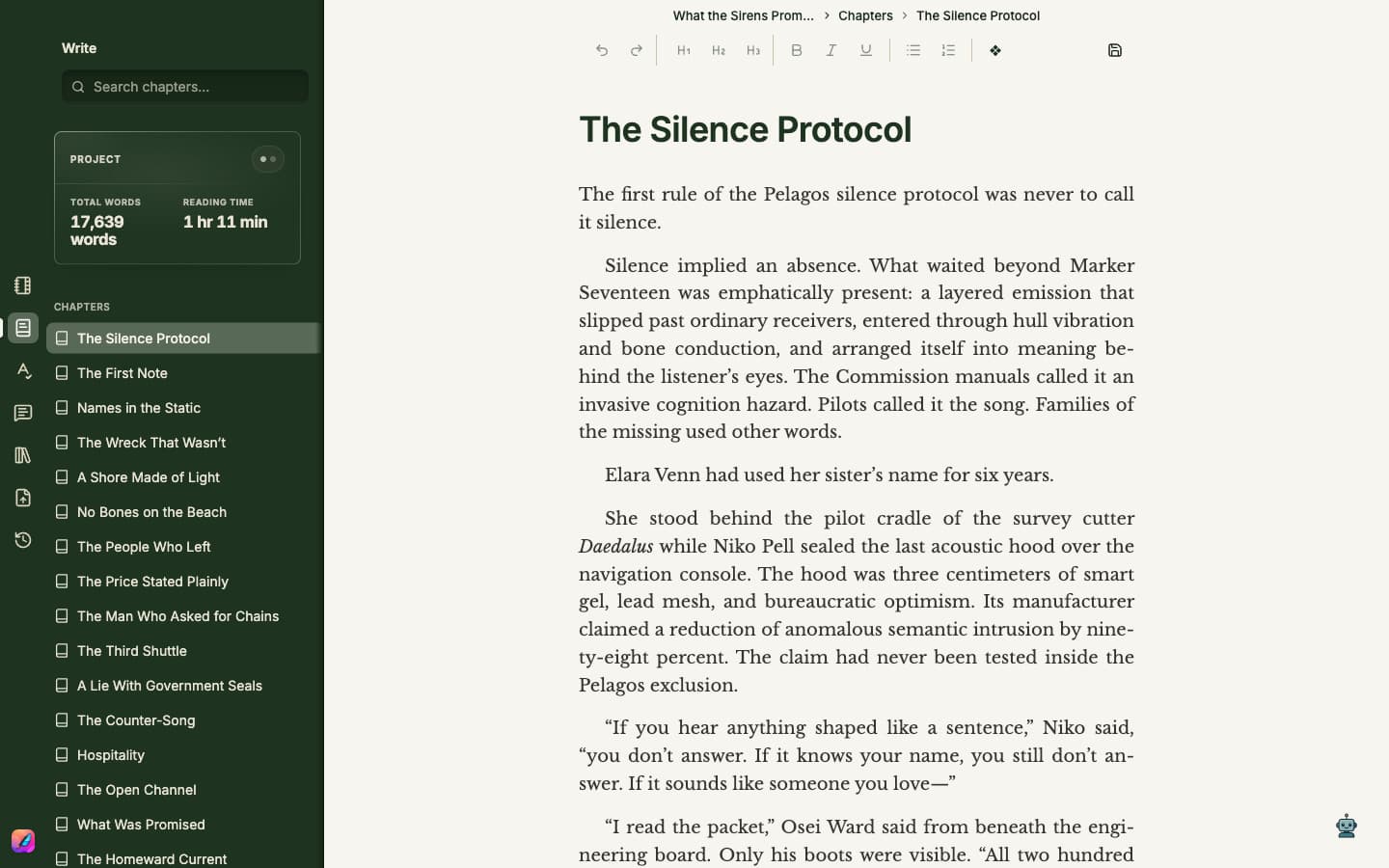
Understand the workspace
Learn how the project editor, toolbar, and activity rail work together.
Keep the project central
Plan opens Notes and Write opens Chapters. Each keeps its own cursor, scroll position, and undo history. The titlebar tells you which surface you are using, even with the sidebar closed; its labels are informational. Prepare, Publish, and Rewind open dedicated workspaces in the main area.
- 1Use the formatting toolbar for headings, emphasis, lists, and scene changes. Right-click a word to look it up in the thesaurus.
- 2Select a passage to open its compact action toolbar. Pause over an icon to read its tooltip; the toolbar appears after you finish selecting.
- 3Review any proposed passage or Minstrel chat edit before choosing Apply. The manuscript does not change while a proposal is still under review.
- 4Use Plan for notes, Write for chapters and current measures, Proofread for writing issues, Review for editorial lenses, Prepare for book details and cover, Publish for previews and exports, and Rewind for saved versions.
- 5Use the search field at the top of Plan or Write to search the material in that panel.
- 6Close or switch panels when you want more room to write.
- 7Save before moving or renaming the project file in Finder.